Everything your rotational career needs in one app.
Cledger brings work logging, expense tracking, tax-day records, targets, career insights and financial reports together in one private app built for offshore and rotational professionals.
Three tools. One app. Zero spreadsheets.
Log Work
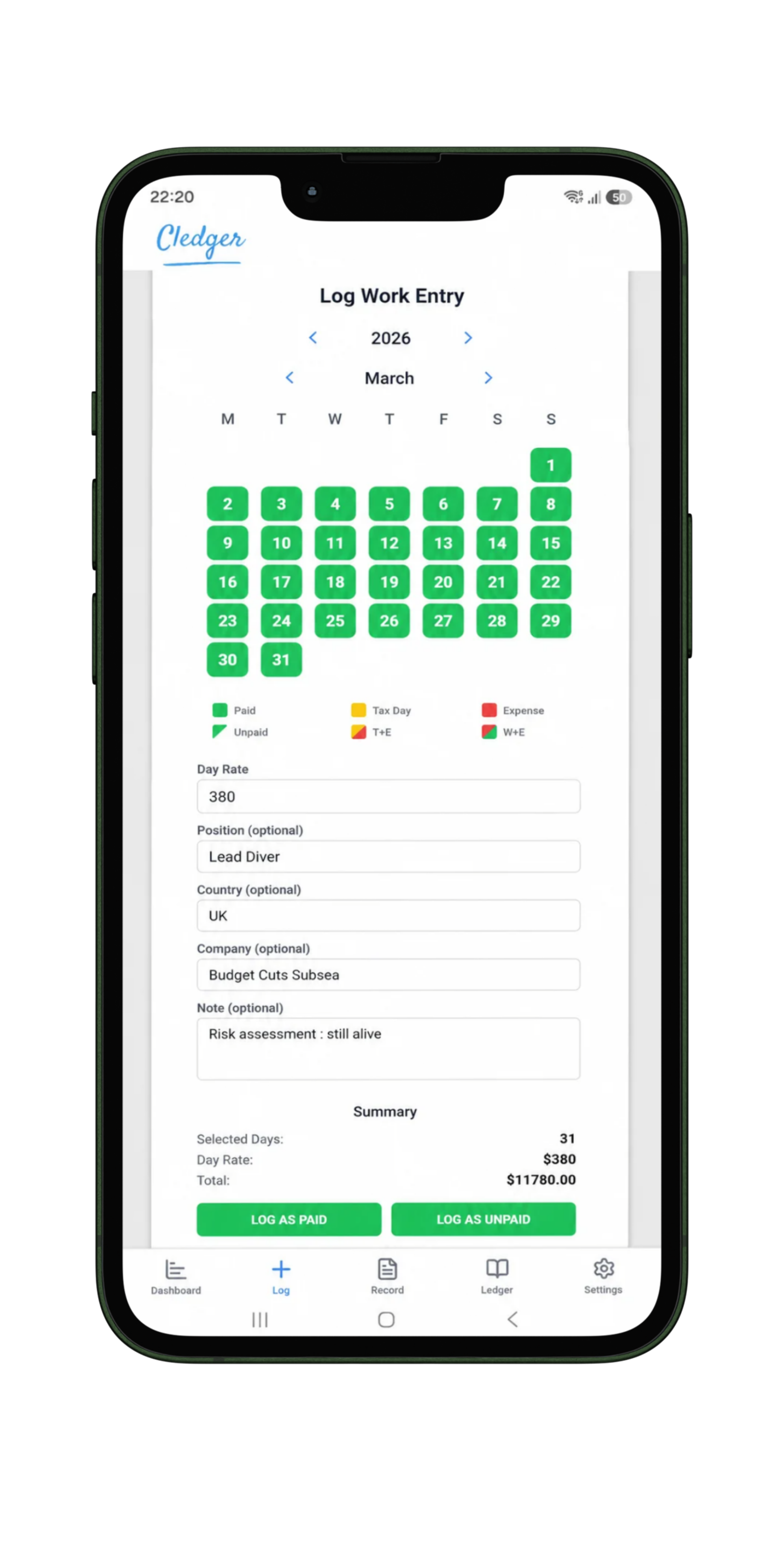
Log single workdays or entire rotations in just a few taps by recording your day rate, company, country and optional notes. Cledger automatically calculates your earnings, sort them as paid or unpaid, and keeps your entire work history organised.
Log Expenses
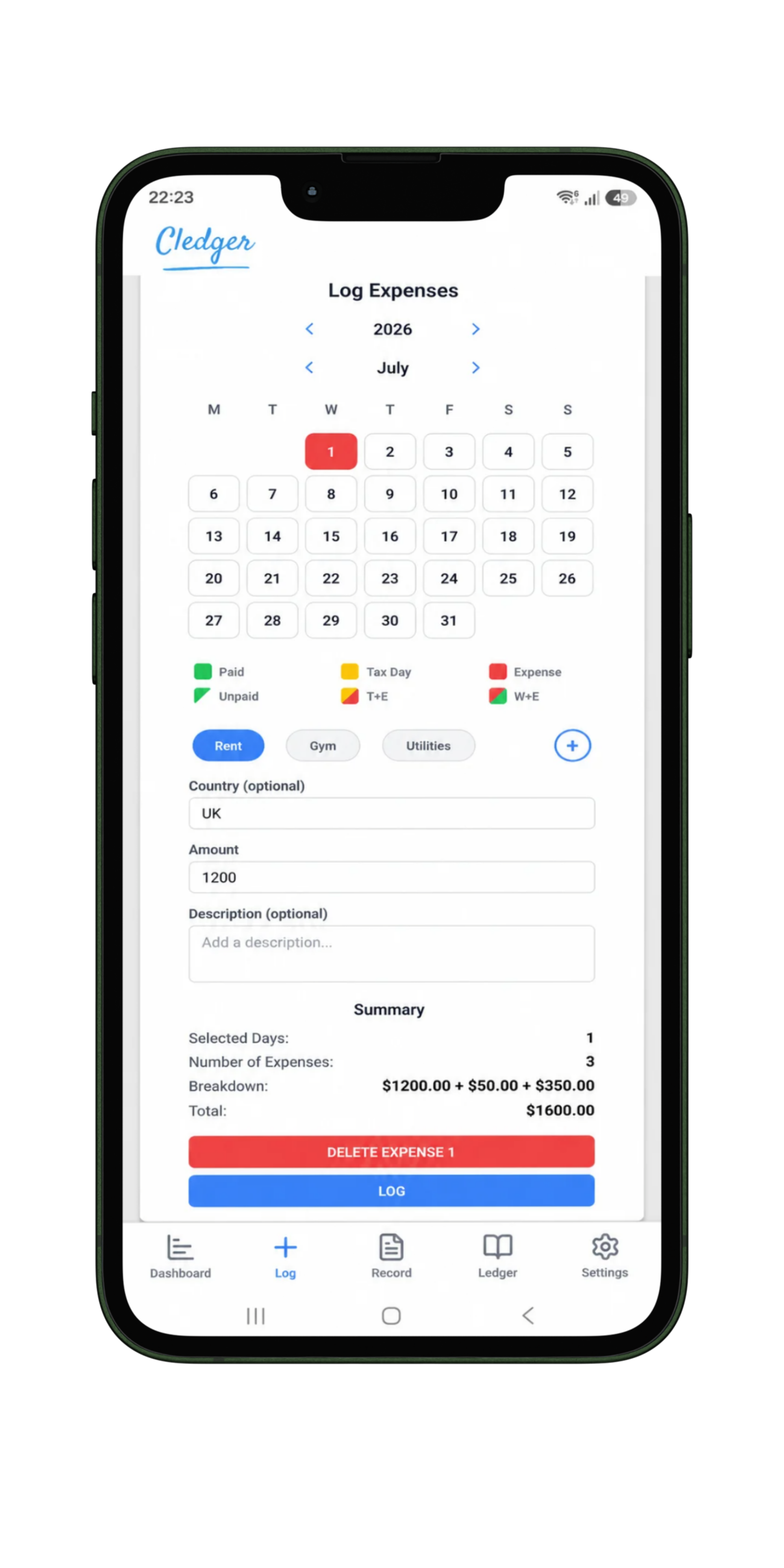
Create multiple expenses for the same day, organise them into categories and add countries or notes. Cledger automatically keeps a running breakdown so you always know where your money is going.
Log Tax Days
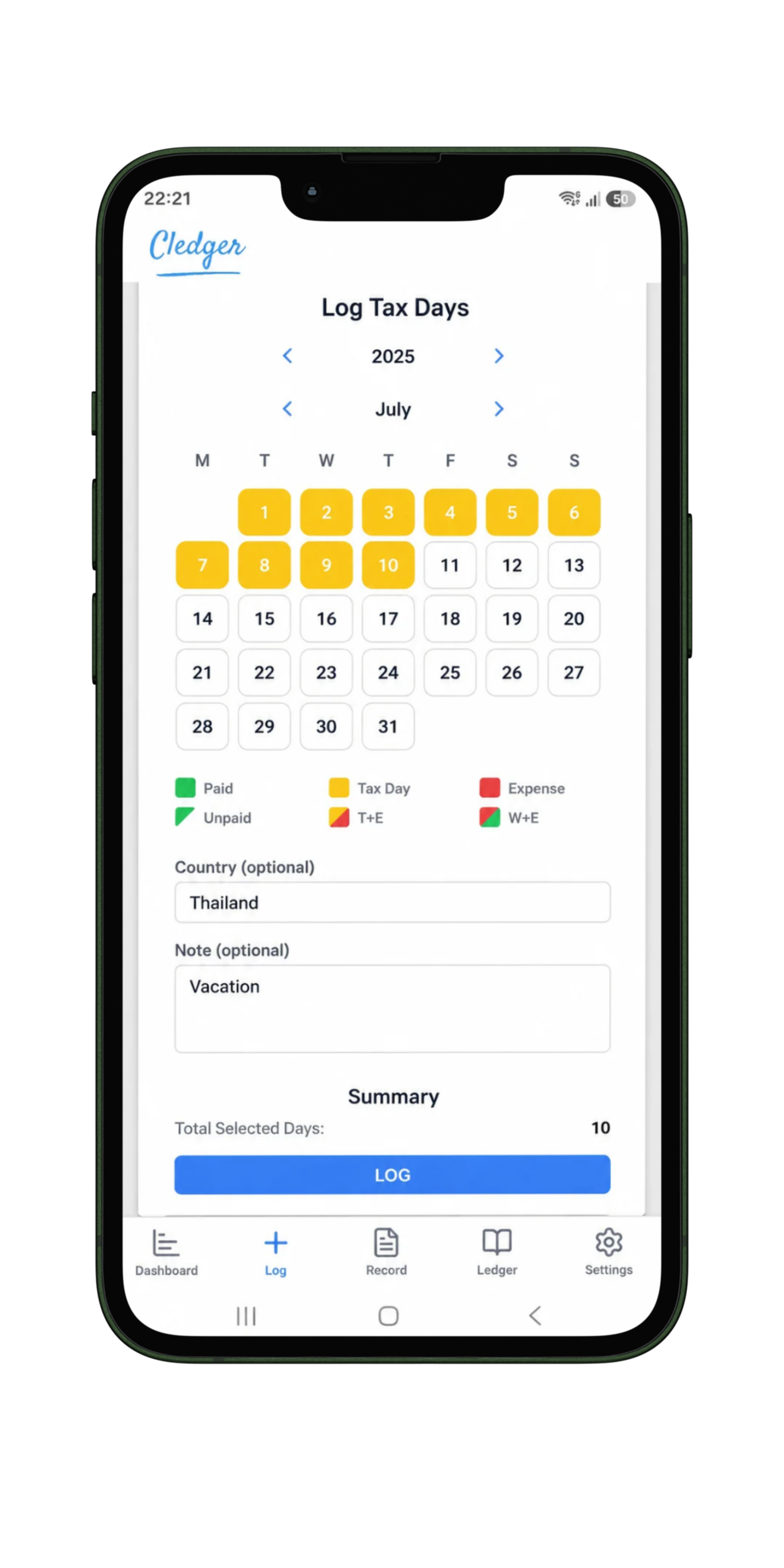
Mark tax days directly on the calendar and record the countries where you spent them. Cledger keeps a running count to help you monitor residency requirements and tax-exemption calculations.
Turn your work history into clear, measurable goals.
Whether you're working towards an earnings milestone, a workday target or a tax-exemption threshold, Cledger shows exactly where you stand and how far you have left to go.
- Set annual workday targets.
- Create earnings goals and track your progress.
- Monitor tax-exemption and residency thresholds.
- See percentages and remaining targets update automatically.
_20260716_115432_0000.png)
More than records. Understand your entire career.
Cledger automatically turns your work records into clear statistics, career metrics and financial insights, helping you understand where you've worked, what you've earned and how your career has evolved over time.
Career & Earnings Statistics
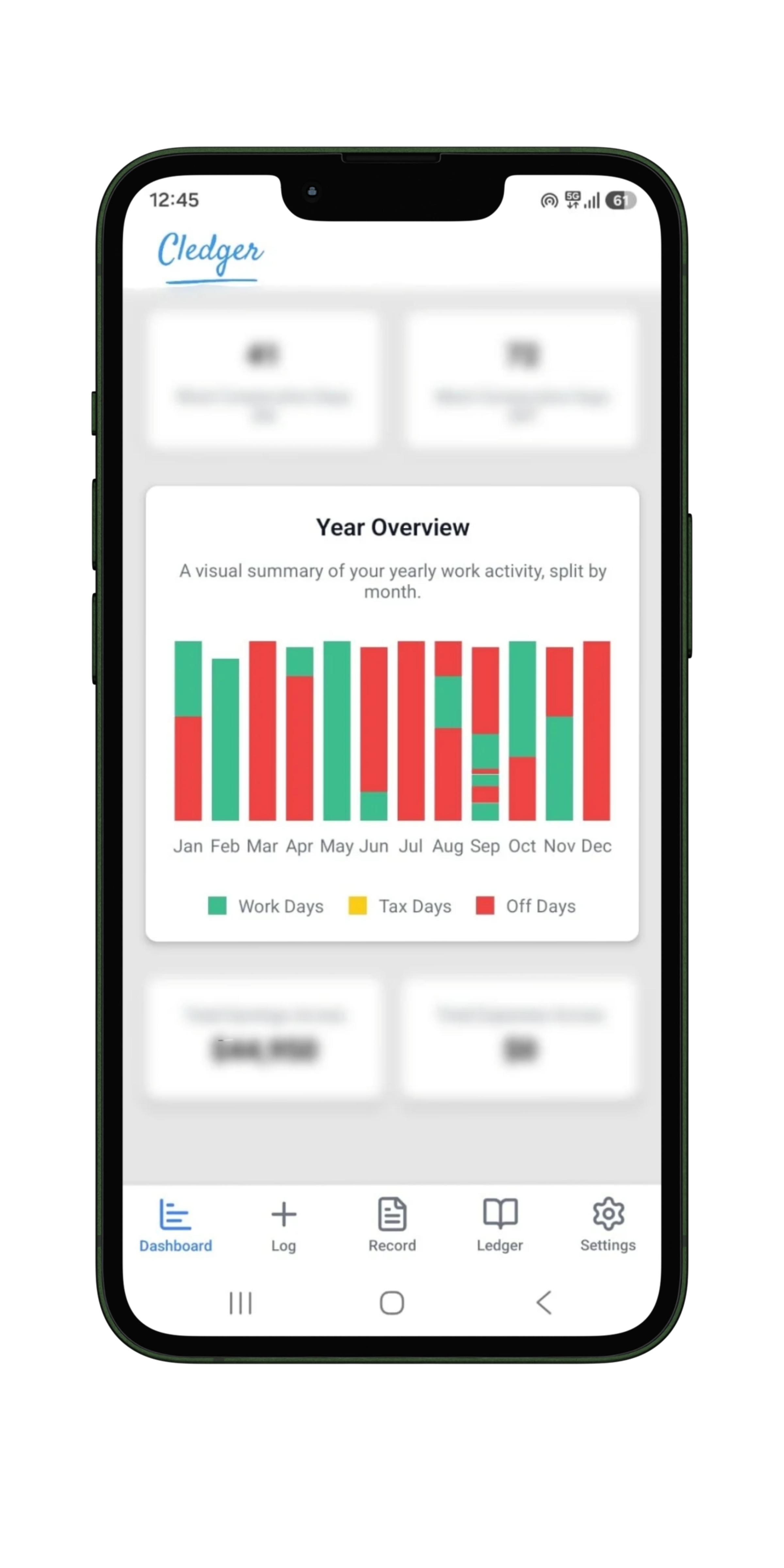
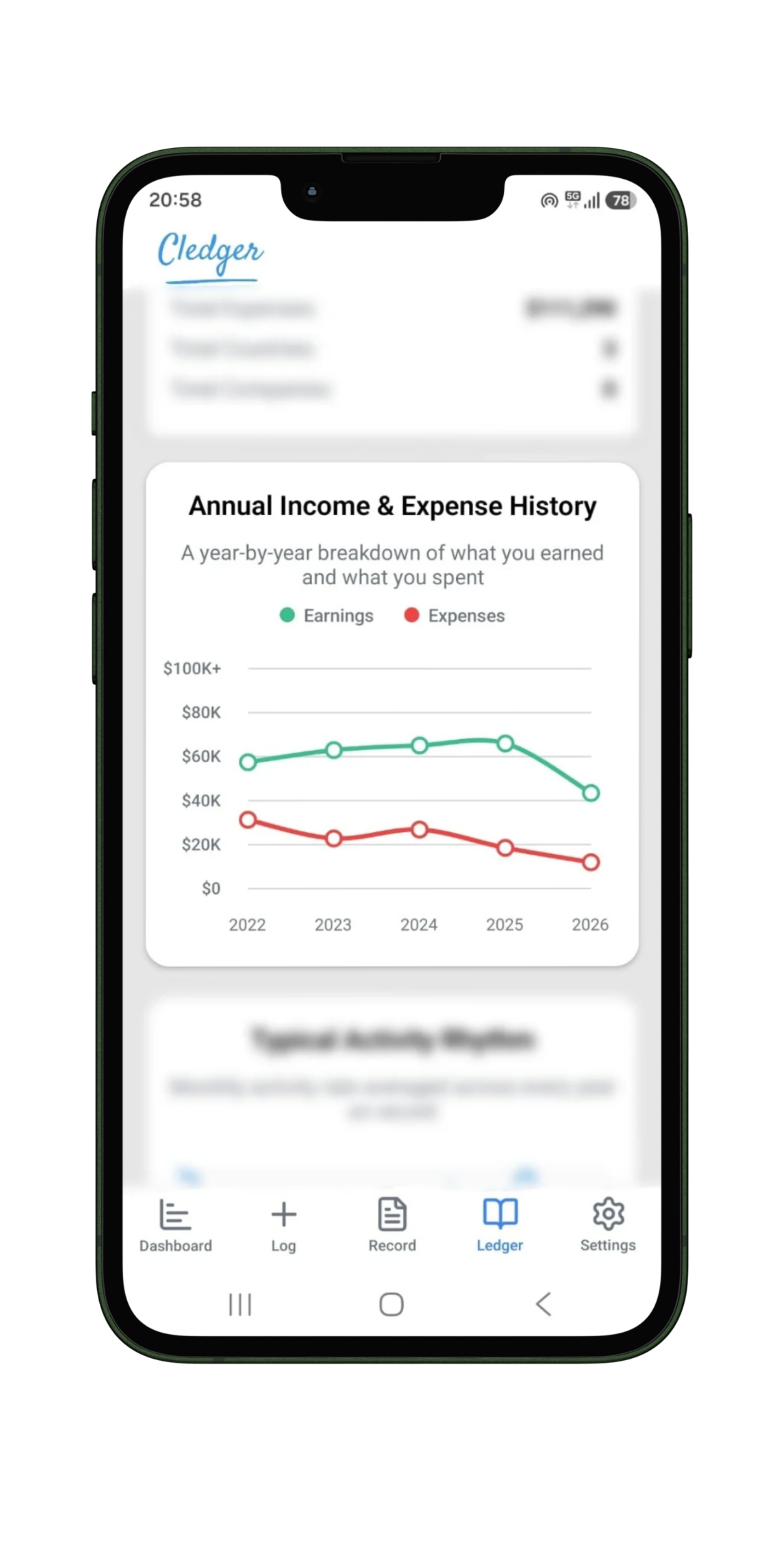
See total earnings, days worked, average day rates and long-term career totals calculated automatically from your records. Compare time at home with time at sea to understand how your working year is distributed.
Paid vs Unpaid Tracking
Separate confirmed earnings from outstanding payments and see exactly what has already reached your pocket. Update unpaid work when payment arrives without losing the original work record.
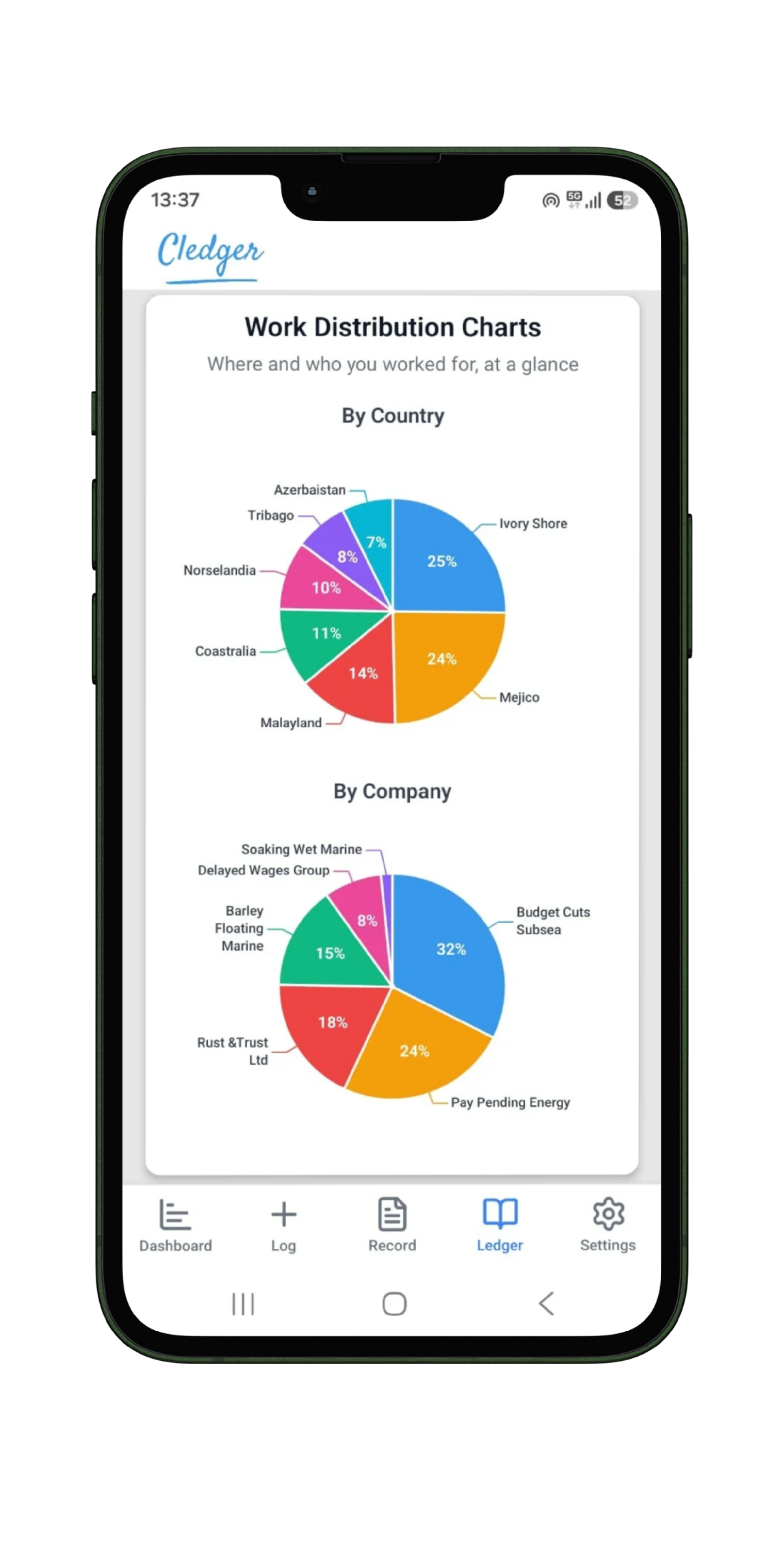
Work Distribution
Understand how your work is distributed across companies, countries and years. See which clients and locations account for the largest parts of your career activity.
Personal Records & Highlights
Discover your strongest periods, highest rates, best-performing months and important career milestones. Cledger surfaces useful highlights automatically from the information you log.
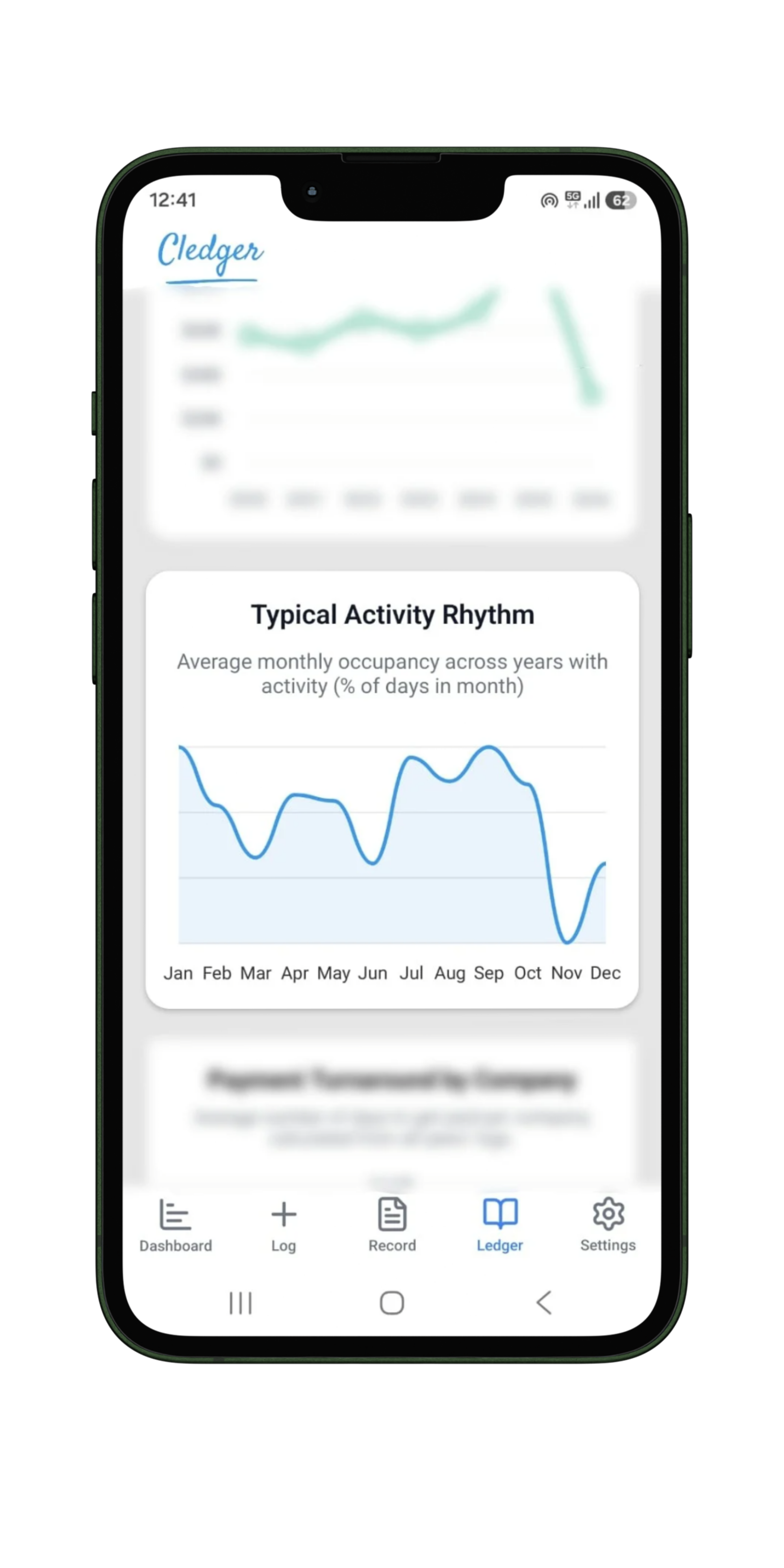
Activity & Work Rhythm
Review rotations, consecutive days on and off, and the patterns behind your working schedule. Understand how your activity changes across months and years.
Payment Turnaround by Company
See how long different companies usually take to pay after work is completed. Compare payment turnaround records to better understand which clients pay quickly and where delays occur.
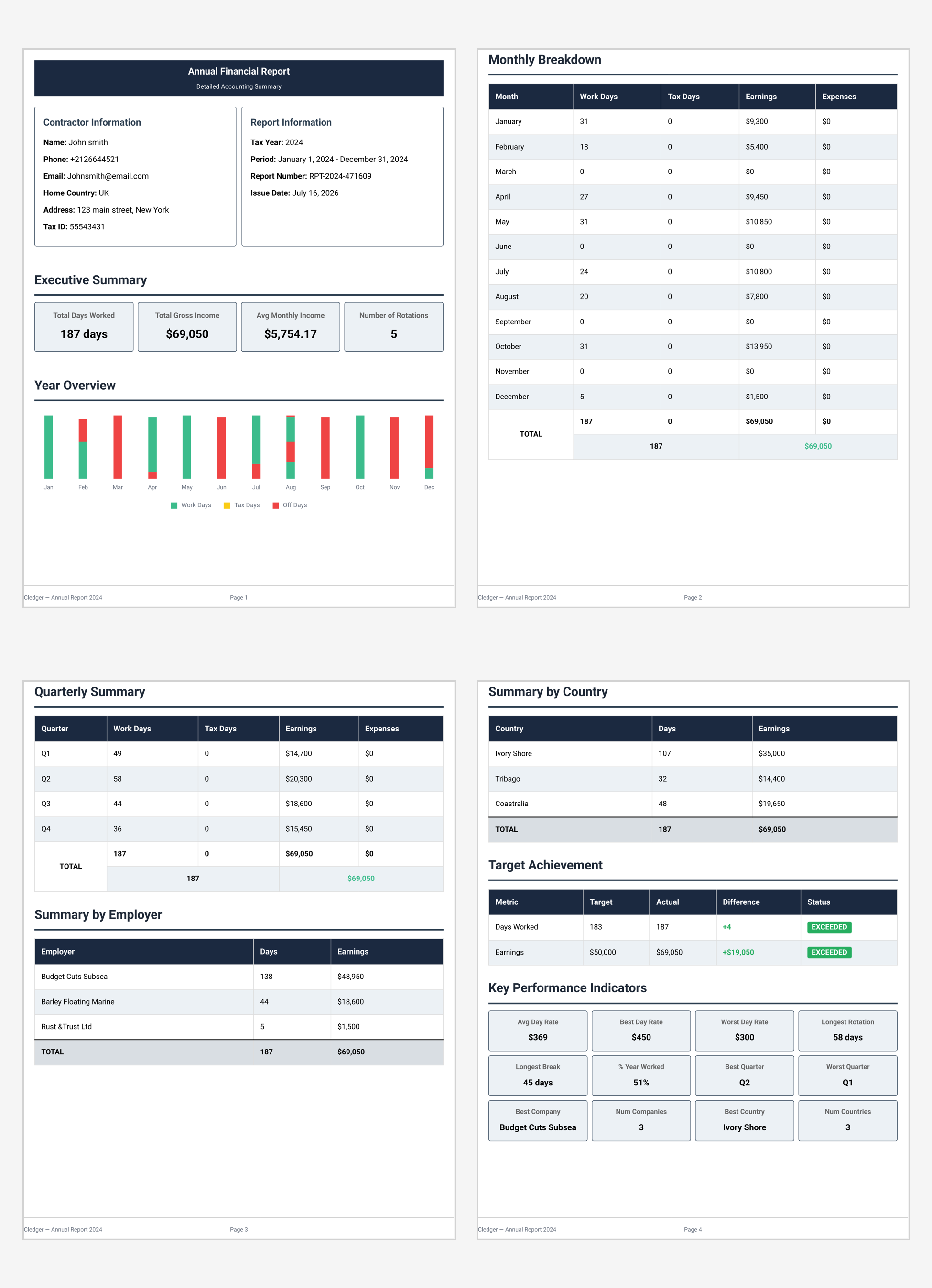
Generate detailed, printable PDF reports.
Generate detailed, printable PDF reports containing your earnings, workdays, expenses and career statistics, all organised and ready whenever you need them.
Reports can also be useful for personal record keeping, tax preparation and reviewing past rotations.
-
Yearly Reports Generate complete annual summaries of your workdays, earnings, expenses and tax records.
-
Monthly & Quarterly Breakdowns Review your activity period by period and understand how your year was built.
-
Company & Country Analysis See where you worked, who you worked for and where your earnings came from.
-
Download & Print Download reports as PDF documents that are easy to save, archive and print whenever needed.
Take your career history wherever you go.
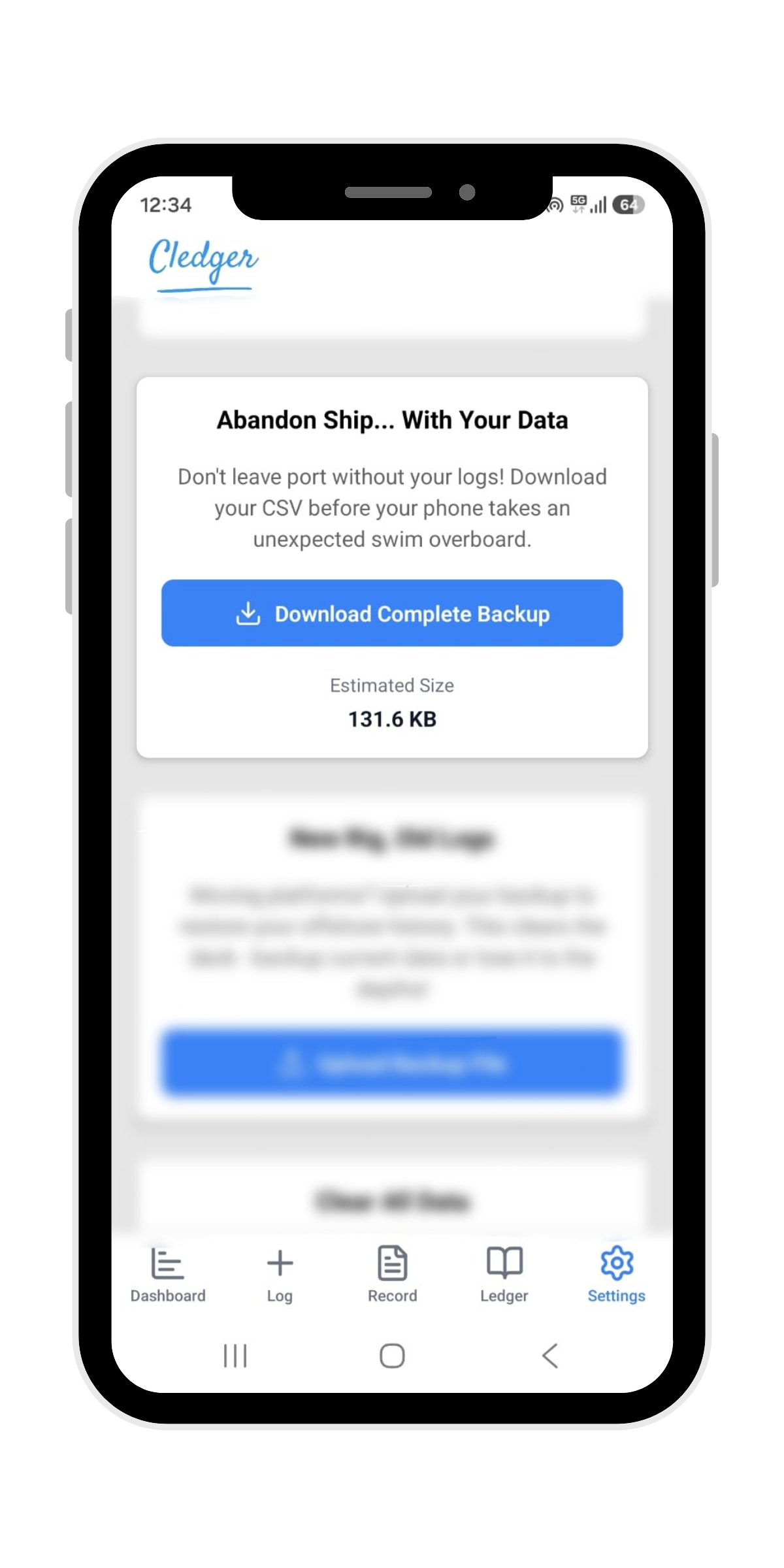
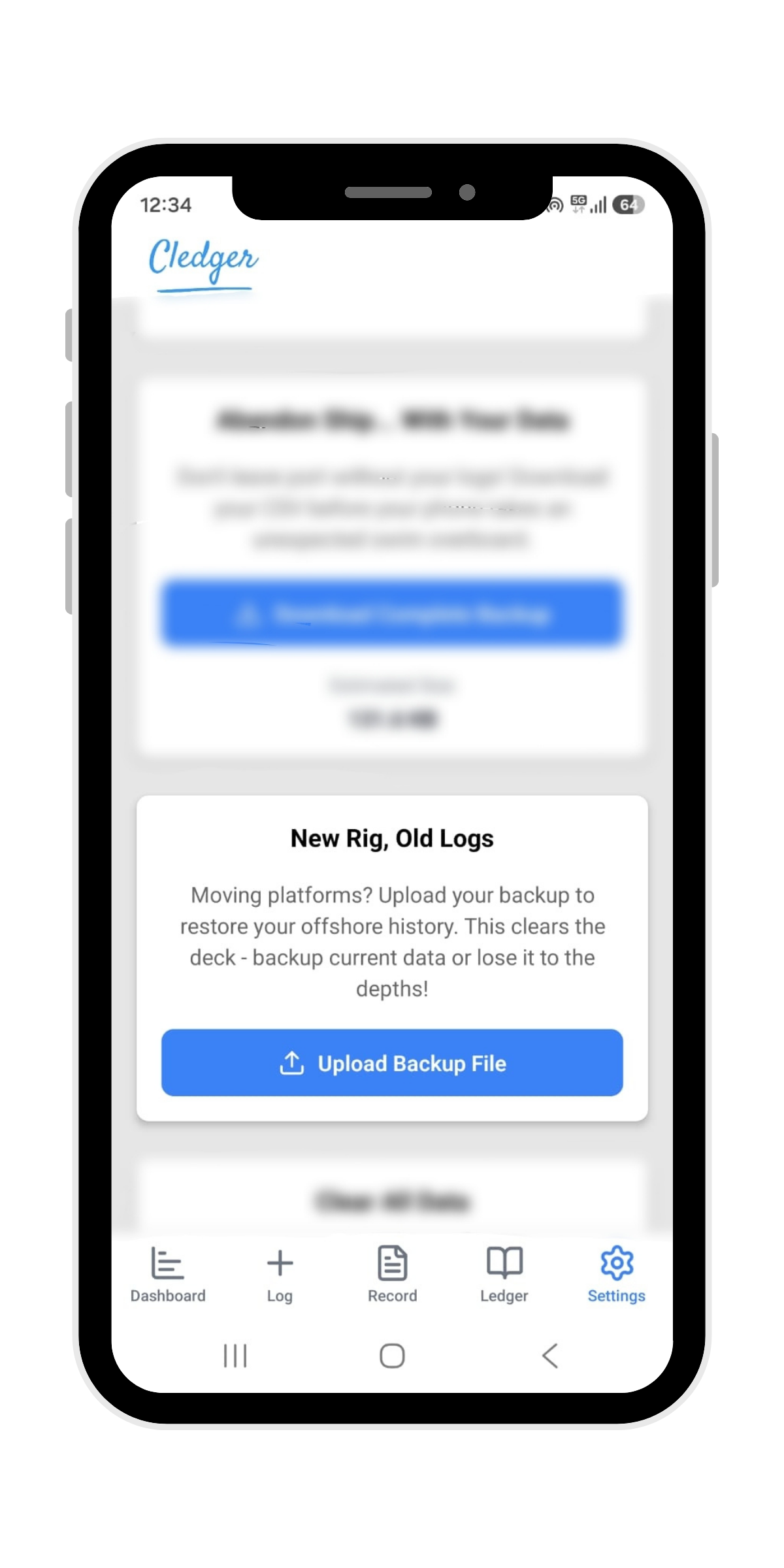
Create backup files of your entire Cledger database and restore them on another device whenever you need to. Your records stay under your control, without cloud accounts or subscriptions.
-
Create Backups Generate a complete backup of your entire Cledger database.
-
Move Between Devices Restore your records whenever you change phones or tablets.
-
Keep Years of Records Safe Protect your work history from lost or damaged devices.
-
Fully Offline and Private Your backups remain under your control without cloud accounts or subscriptions.